
How PairMyPet Works
Create your pet’s profile in 5 minutes and start finding compatible matches with responsible owners near you.
Get started free
Creating a pet profile on PairMyPet takes about five minutes. You’ll enter your pet’s details, describe their personality, upload photos, set your location, and create an account. Once your profile is live, you can browse potential matches, view detailed profiles, and message other pet owners directly.
Finding a compatible breeding partner for your dog or cat starts with a strong profile. PairMyPet walks you through a guided setup that covers everything from breed and health details to temperament and breeding preferences, so potential matches get a complete picture of your pet before reaching out.
This step-by-step guide shows you exactly how to create your pet profile and start finding matches, with screenshots of every screen you’ll see along the way.
Choose Your Pet Type and Purpose
Tell us what you’re looking for
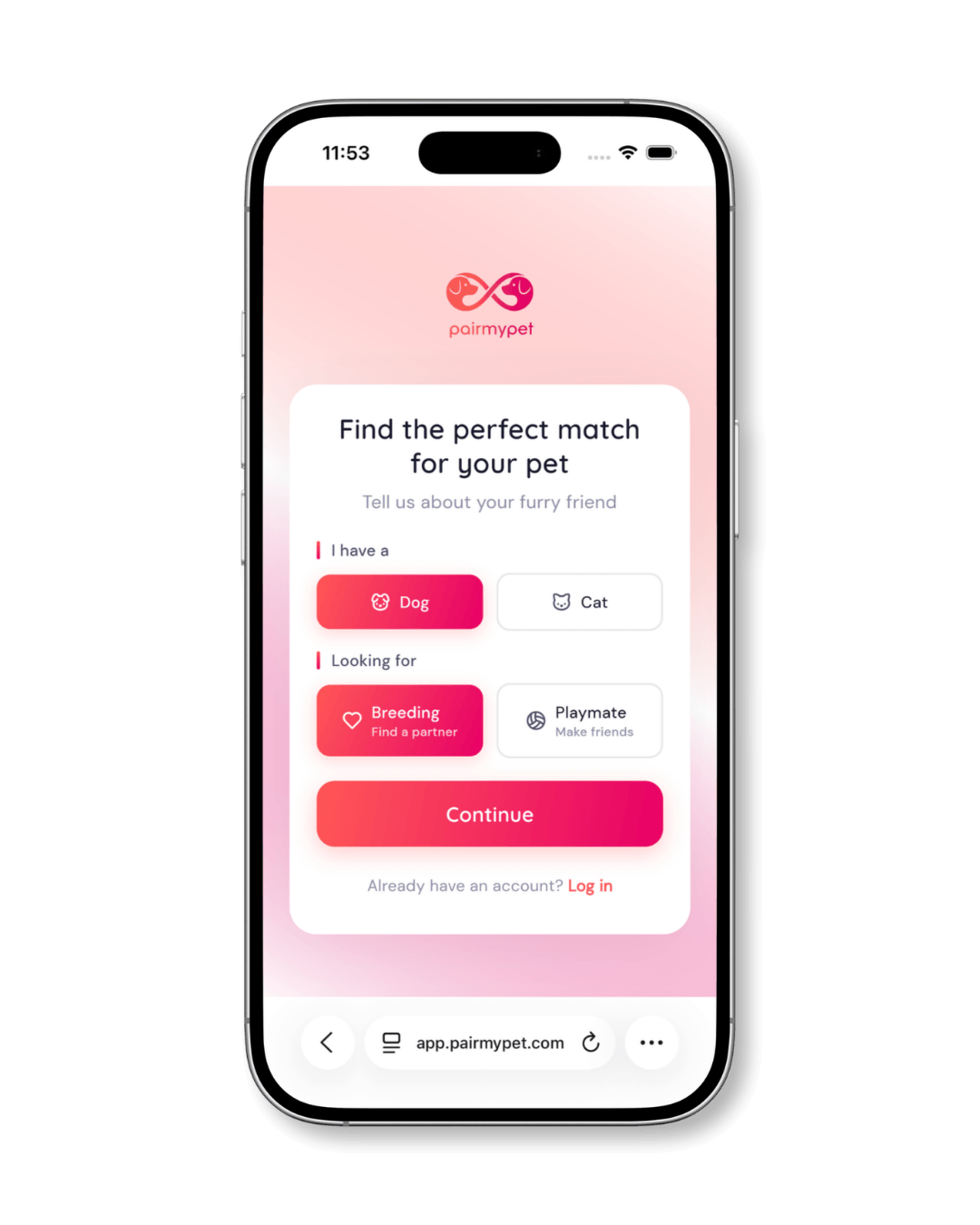
When you first open PairMyPet, you’ll see a welcome screen asking two simple questions: what type of pet you have (dog or cat) and what you’re looking for (breeding partner or playmate).
Select your options and tap Continue to begin building your profile.
Enter Your Pet’s Name, Gender, and Breed
Start with the basics
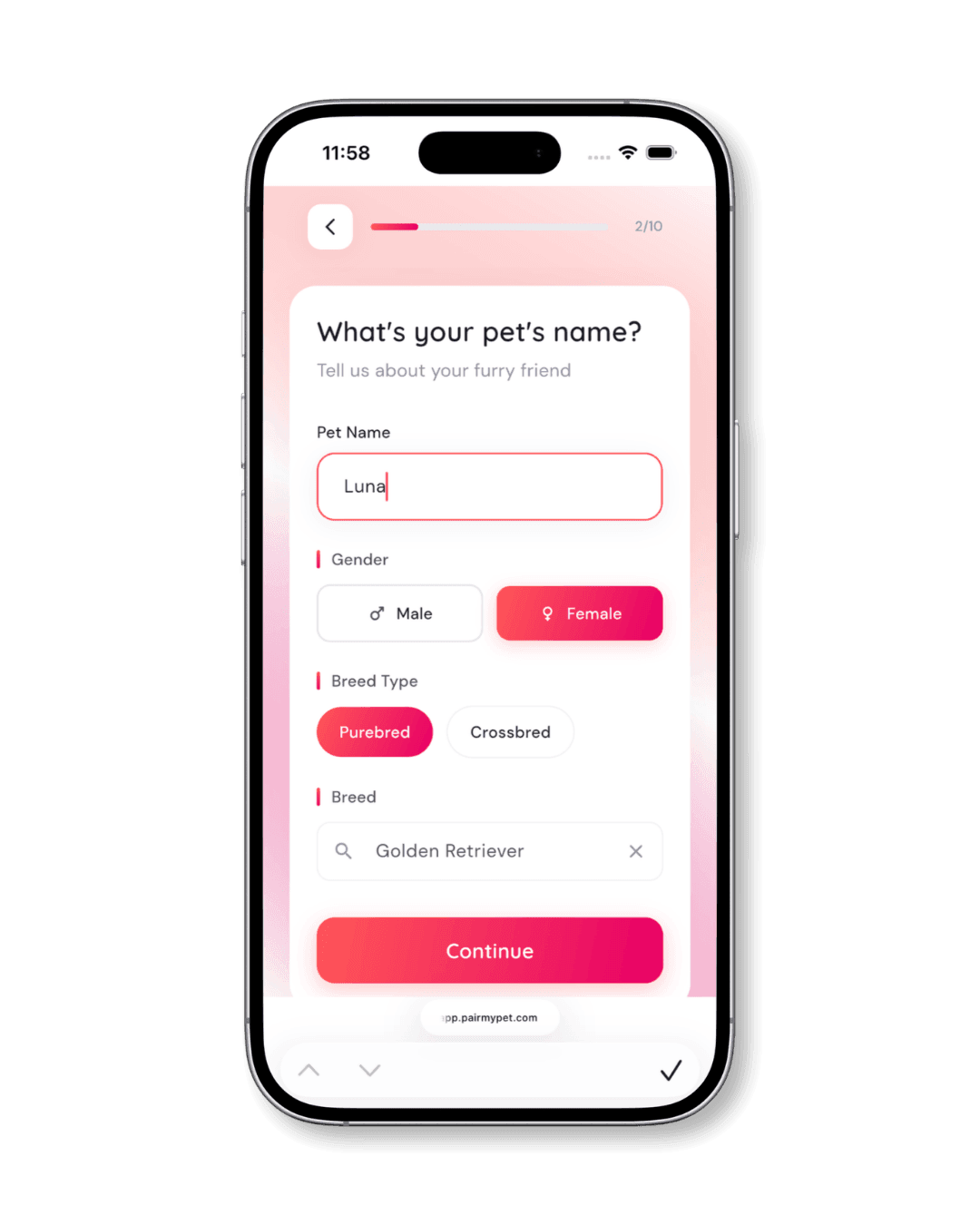
The next screen asks for your pet’s name, gender (male or female), breed type (purebred or crossbred), and specific breed. Start typing the breed name and select it from the dropdown.
This information helps PairMyPet show your pet to the right audience and match you with compatible profiles.
Add Pet Details (Age, Size, Weight, Health)
Physical details and health certifications
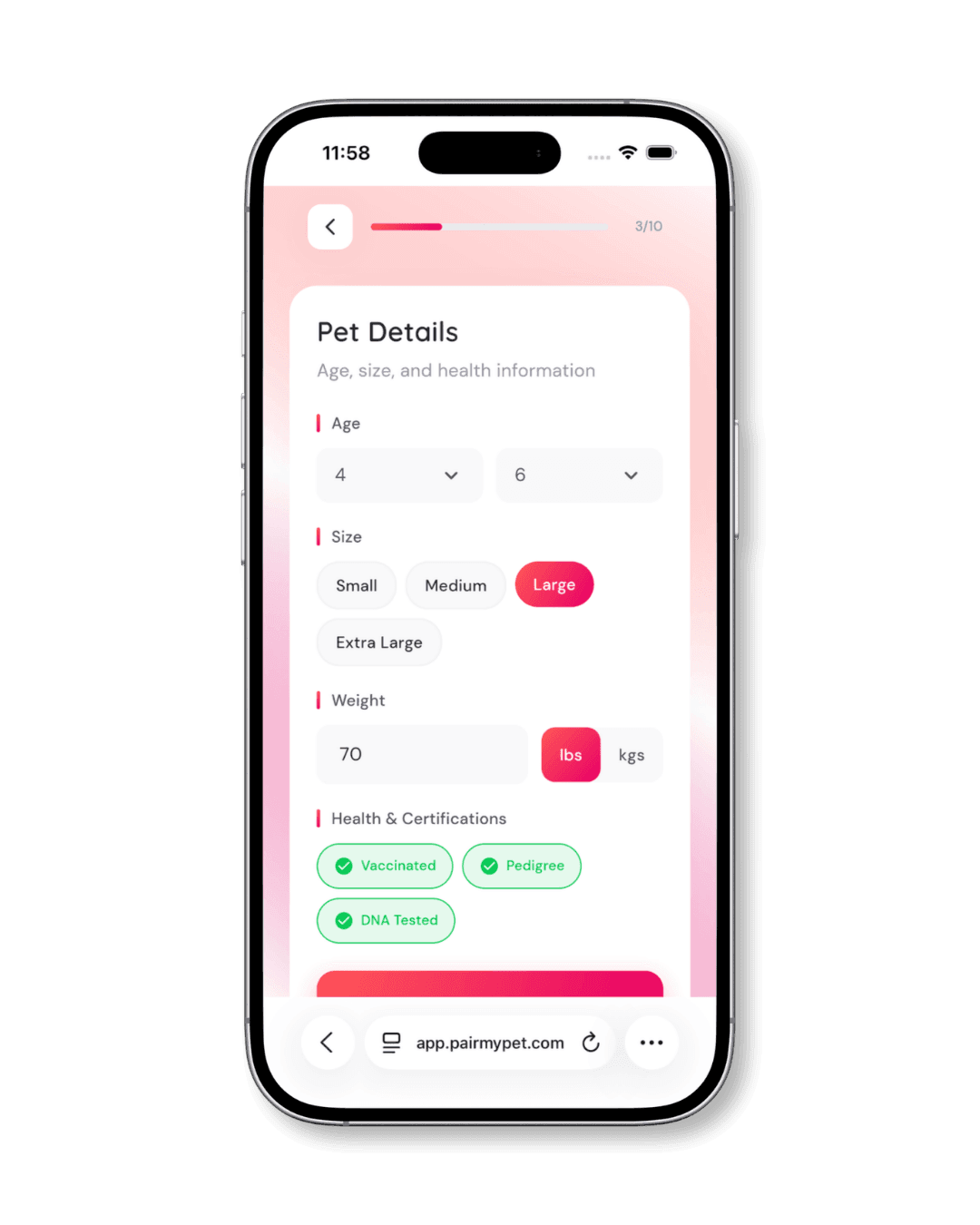
Next, you’ll enter your pet’s physical details: age, size category (small, medium, large, or extra large), and weight in pounds or kilograms.
Below that, you can mark any health certifications your pet has: vaccinated, pedigree, and DNA tested. These tags appear on your pet’s profile and signal to other owners that you take health seriously.
Profile Completeness Tip
Profiles with health certifications marked get more attention from serious breeders. Be accurate — only mark certifications your pet actually has.
Describe Your Pet’s Personality
Social compatibility questions
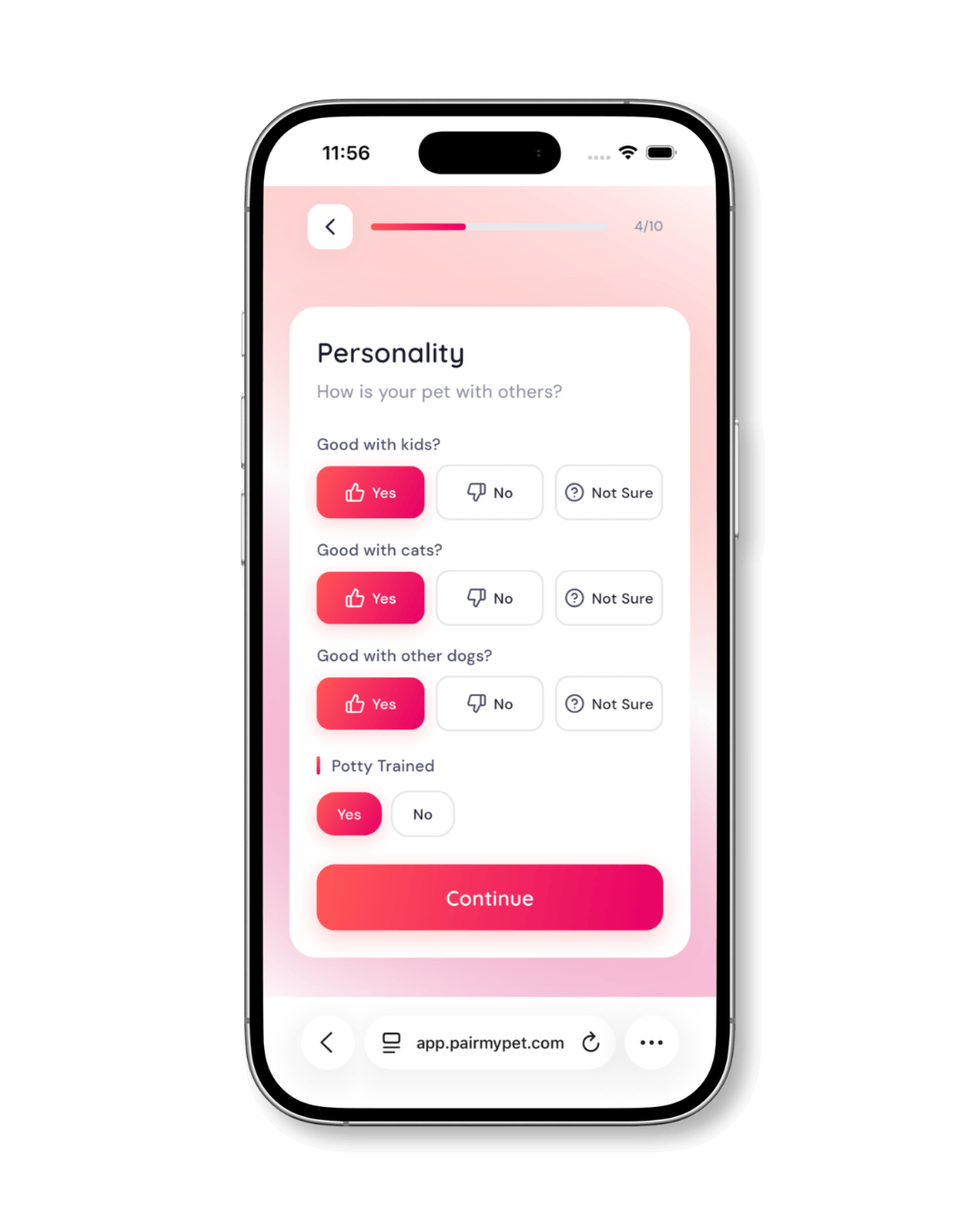
PairMyPet asks about your pet’s social compatibility: whether they’re good with kids, cats, and other dogs. You’ll also indicate whether they’re potty trained. Each question has three options: Yes, No, or Not Sure.
These details help other owners assess compatibility before reaching out.
Set Temperament and Training Level
Energy, social style, and training
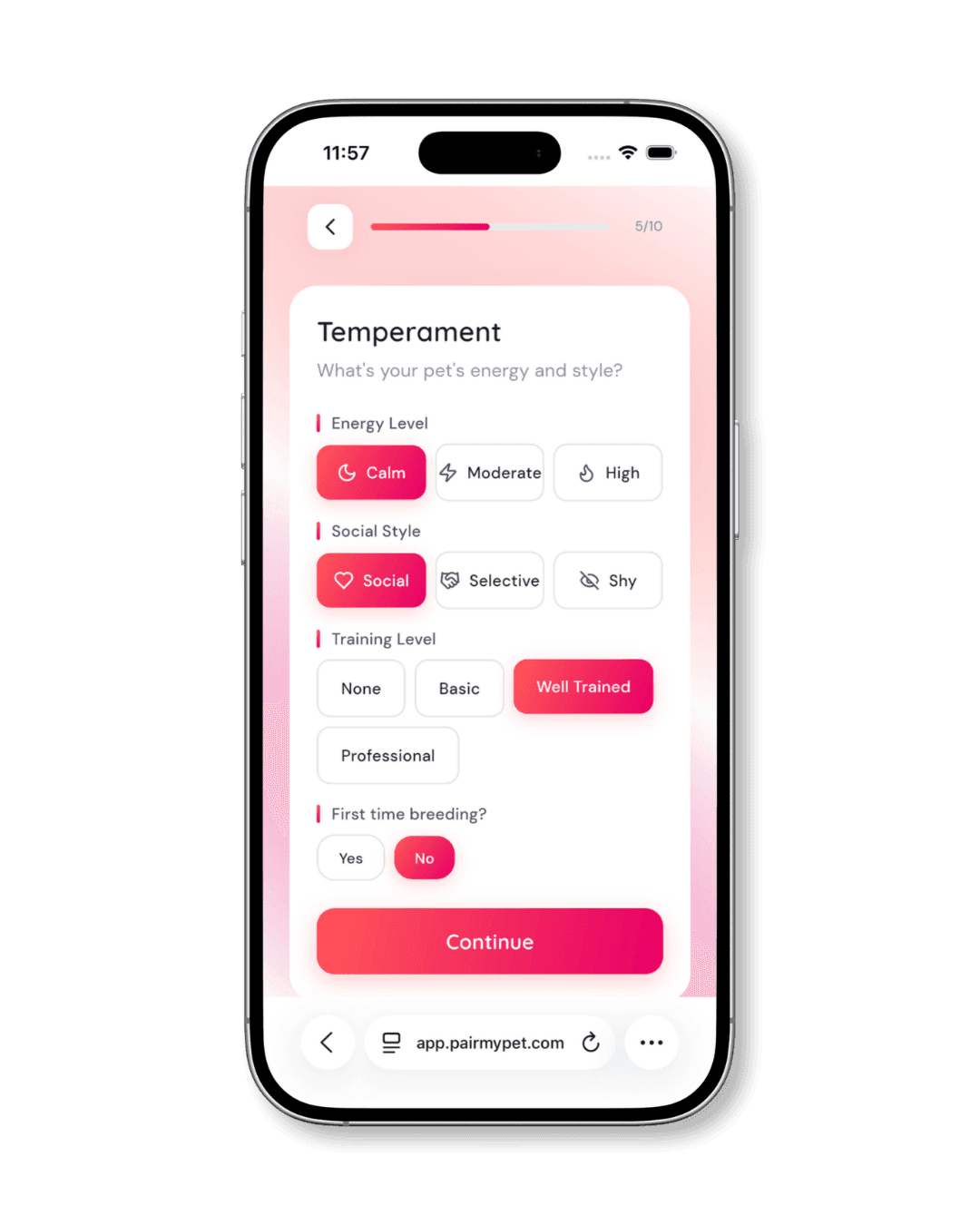
The temperament screen captures your pet’s energy level (calm, moderate, or high), social style (social, selective, or shy), and training level (none, basic, well trained, or professional). You’ll also indicate whether this is your pet’s first time breeding.
Be honest here. Accurate temperament details lead to better-suited matches and smoother introductions between pets.
Write Your Pet’s Bio
Let your pet’s personality shine
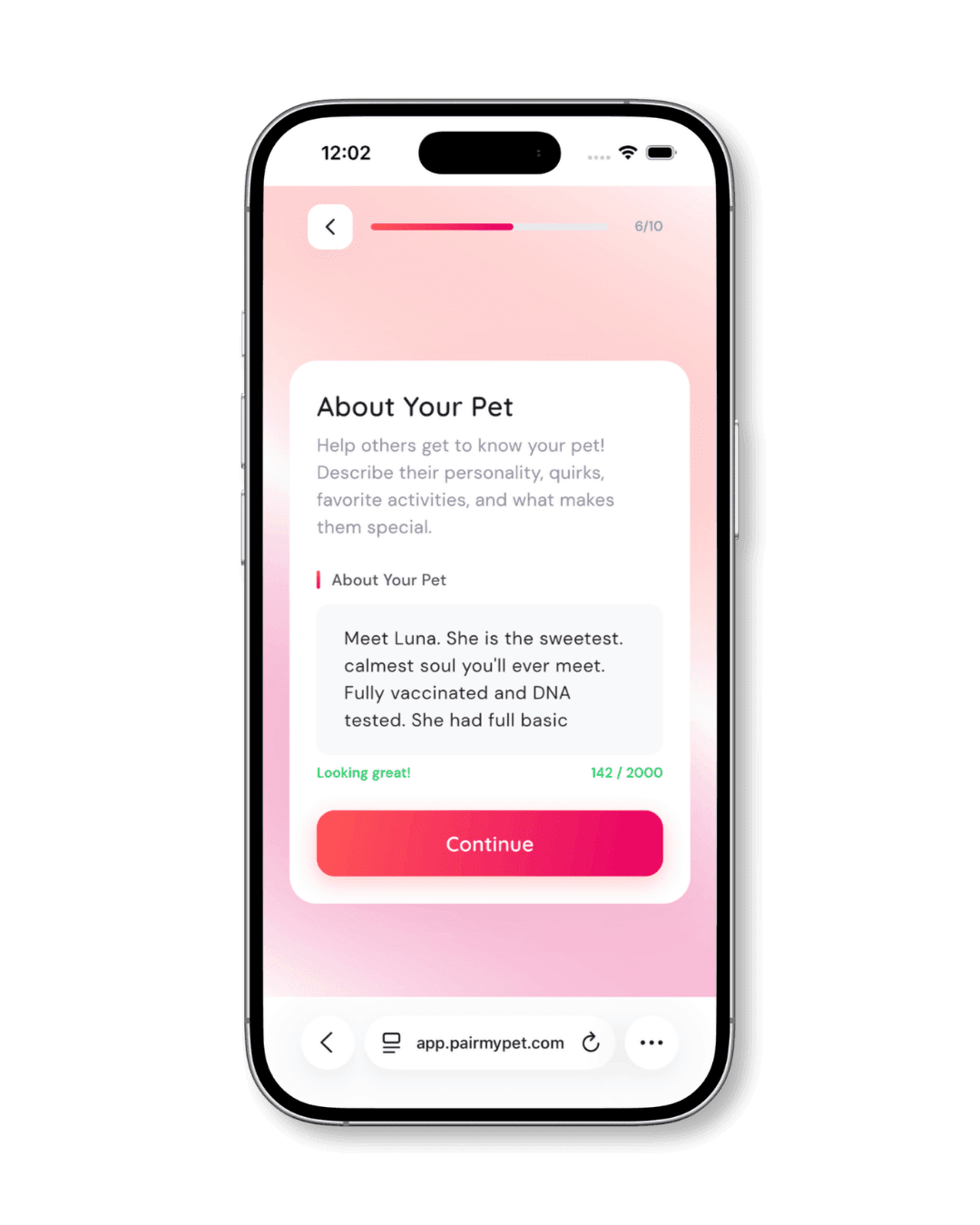
The “About Your Pet” section gives you up to 2,000 characters to describe what makes your pet special: their quirks, favorite activities, health background, and anything else a potential match would want to know.
A detailed bio gives other owners confidence and context. Think of it as your pet’s introduction letter.
Tips for a great bio
- Mention health testing and vaccination status
- Describe your pet’s temperament in your own words
- Include breeding history if relevant
- Keep it genuine; avoid exaggerated claims
Set Your Breeding Terms
Travel distance and accommodation
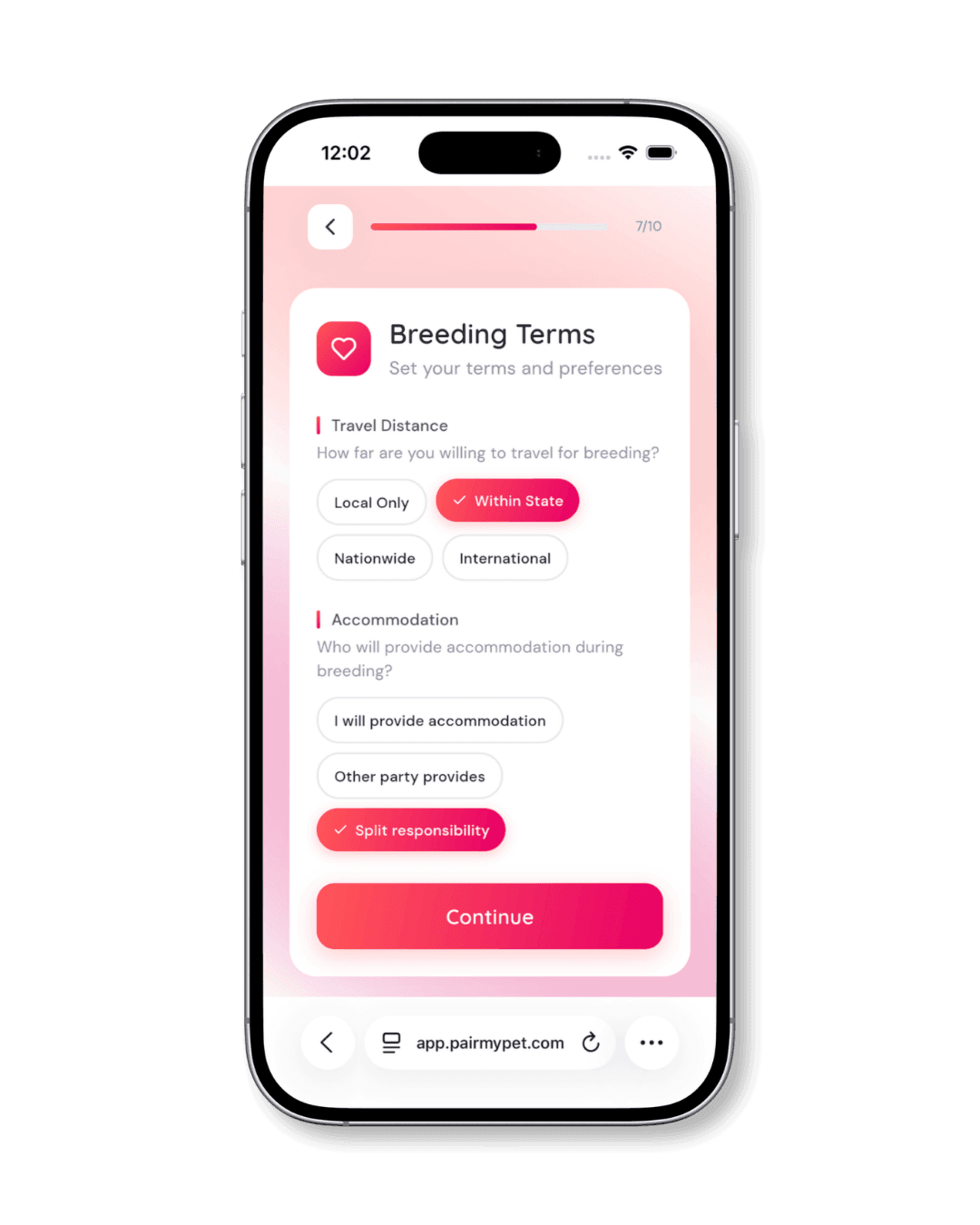
If you selected “Breeding” as your purpose, you’ll see a screen for breeding-specific preferences. This covers two key logistics:
Travel Distance: How far you’re willing to travel for a match. Options range from local only to international.
Accommodation: Who provides accommodation during breeding. You can choose yourself, the other party, or split responsibility.
Setting these upfront saves time by filtering out impractical matches early.
Upload Your Pet’s Photos
Six photos, first one is your avatar
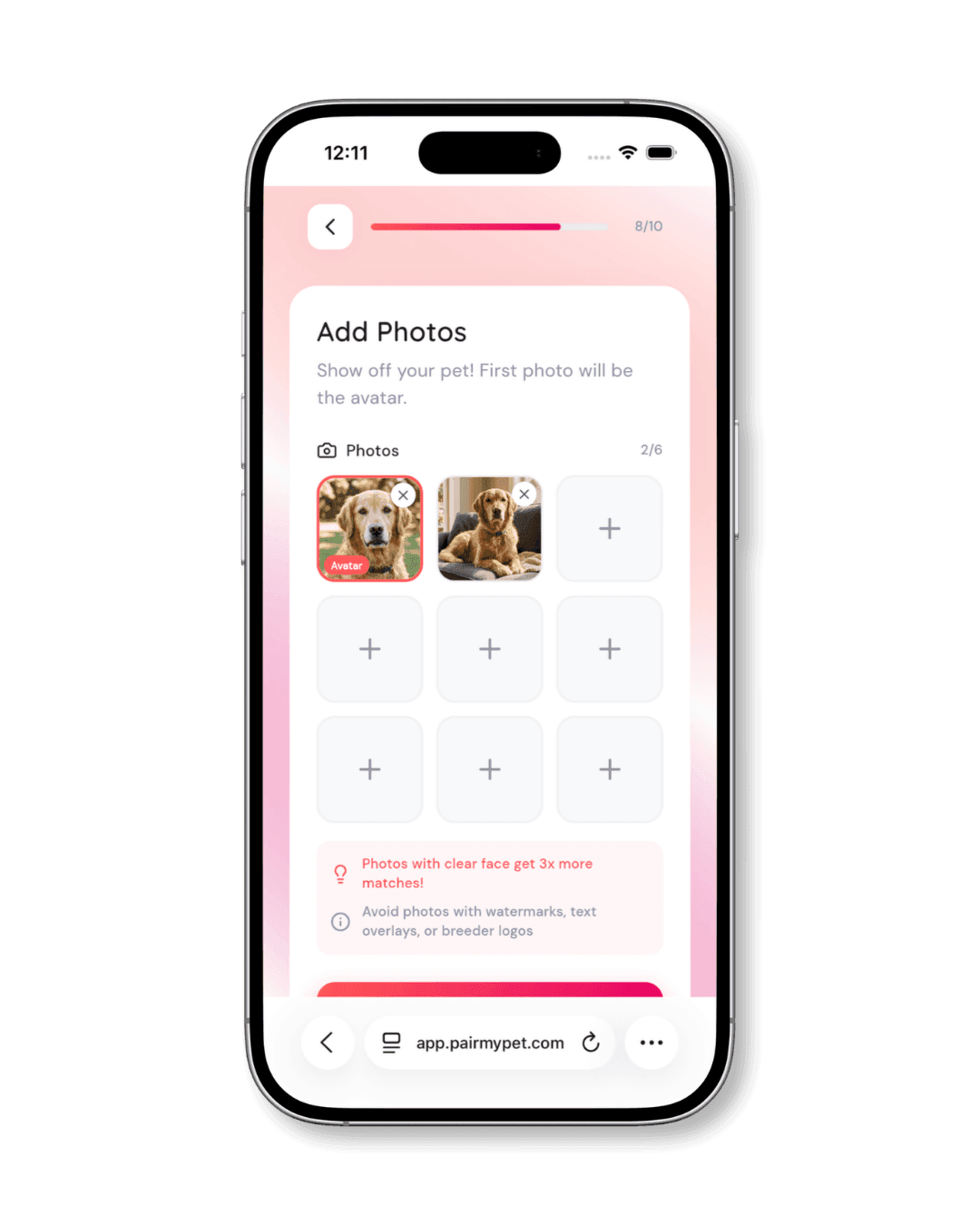
Upload up to 6 photos of your pet. The first photo you add becomes the profile avatar, which is the image other users see first when browsing matches.
PairMyPet recommends using photos with a clear view of your pet’s face, as these tend to attract significantly more interest. Avoid photos with watermarks, text overlays, or breeder logos.
Do
- Clear face shots
- Natural lighting
- Multiple angles
- Show full body in at least one photo
Don’t
- Watermarks
- Blurry images
- Heavy filters
- Group photos where your pet isn’t clearly identifiable
Set Your Location
Find matches near you
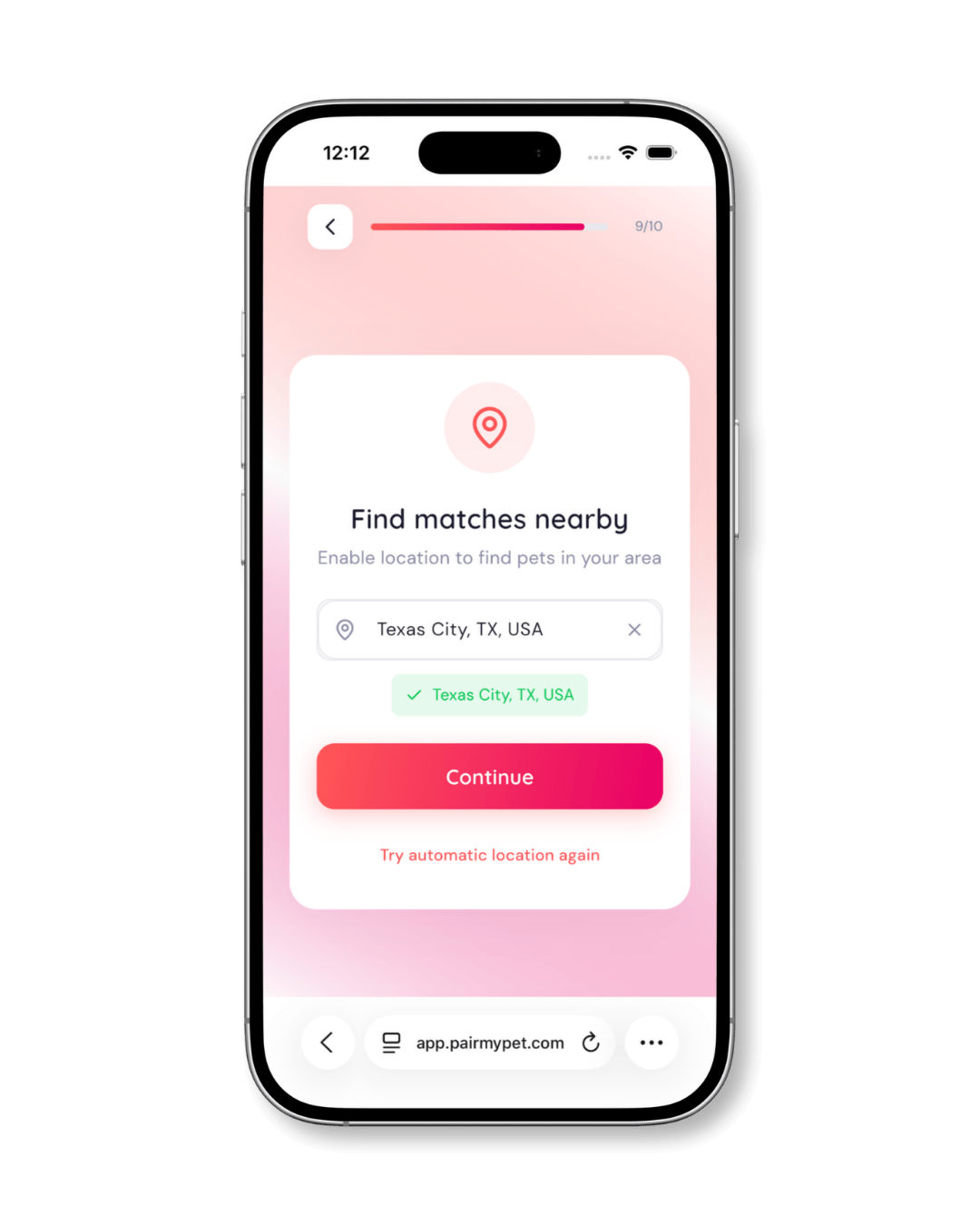
PairMyPet uses your location to find matches near you. Type your city or area into the search field and select it from the suggestions. You can also tap “Try automatic location” to let the app detect your location.
Your location is shown as a general area (city/region) on your profile, not your exact address.
Create Your Account and Verify Your Email
Sign up and verify
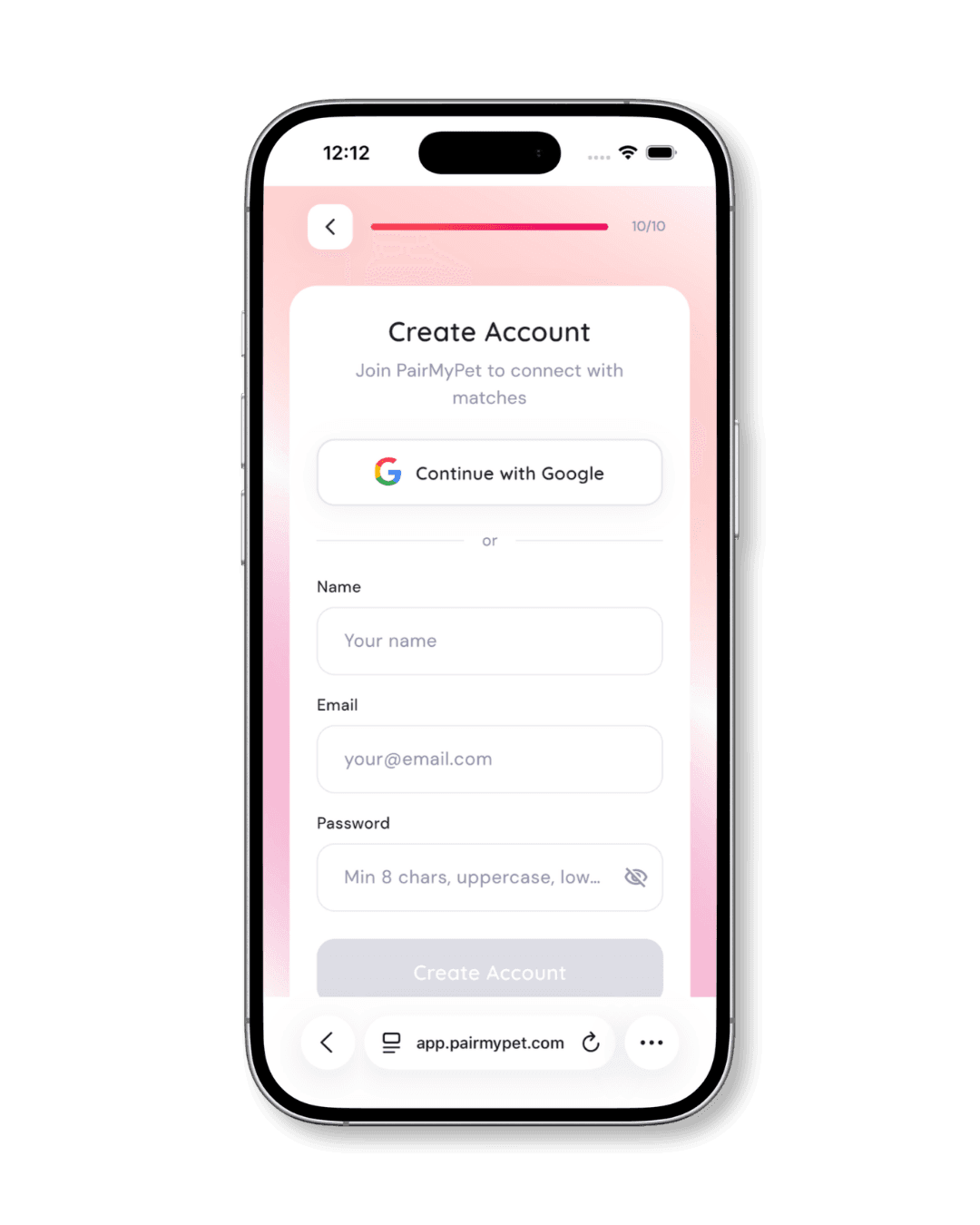
The final step in profile setup is creating your PairMyPet account. You can sign up instantly with Google or enter your name, email, and a password manually.
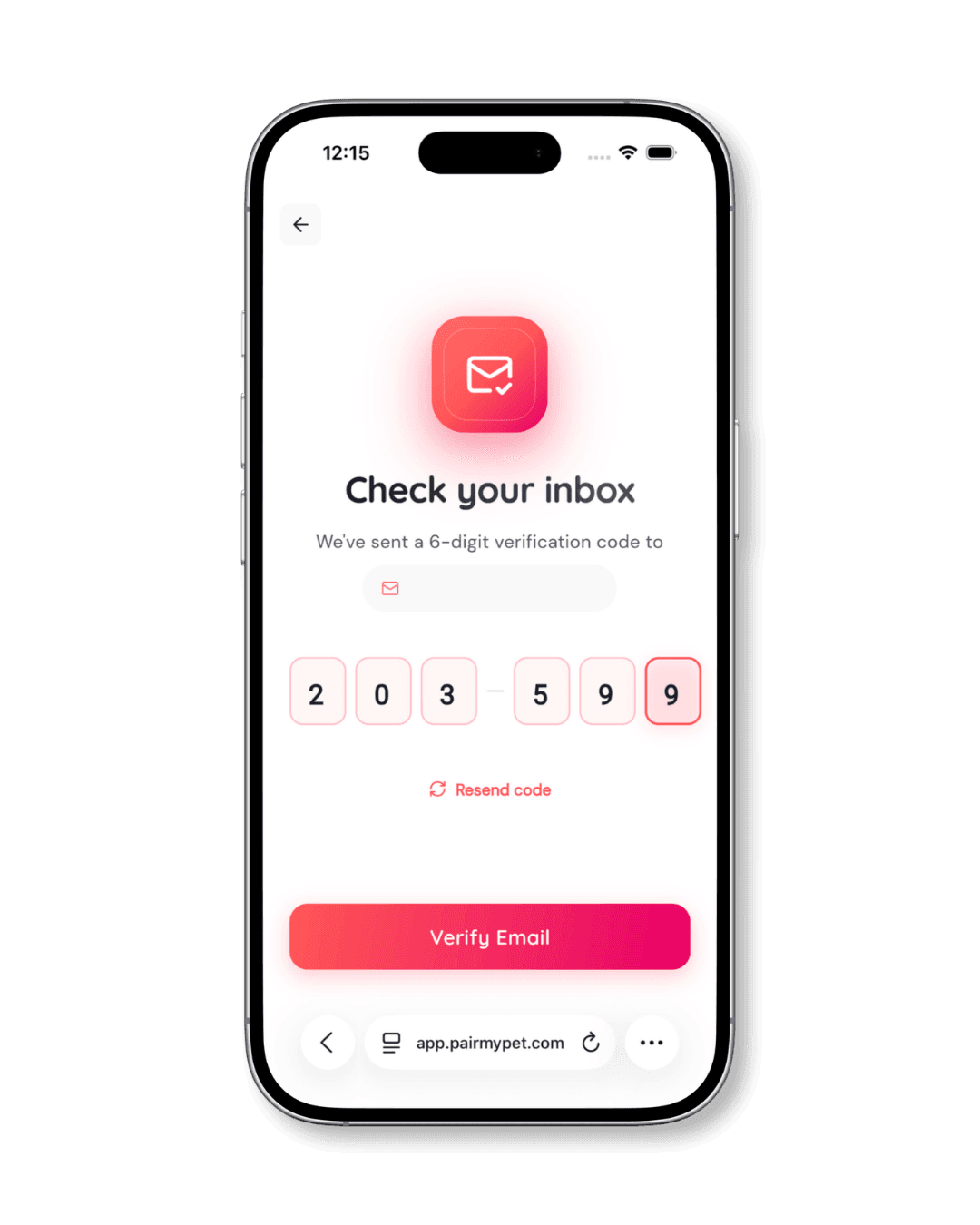
After creating your account, check your inbox for a 6-digit verification code. Enter it on the verification screen and tap Verify Email to activate your account.
How to Find a Match After Creating Your Profile
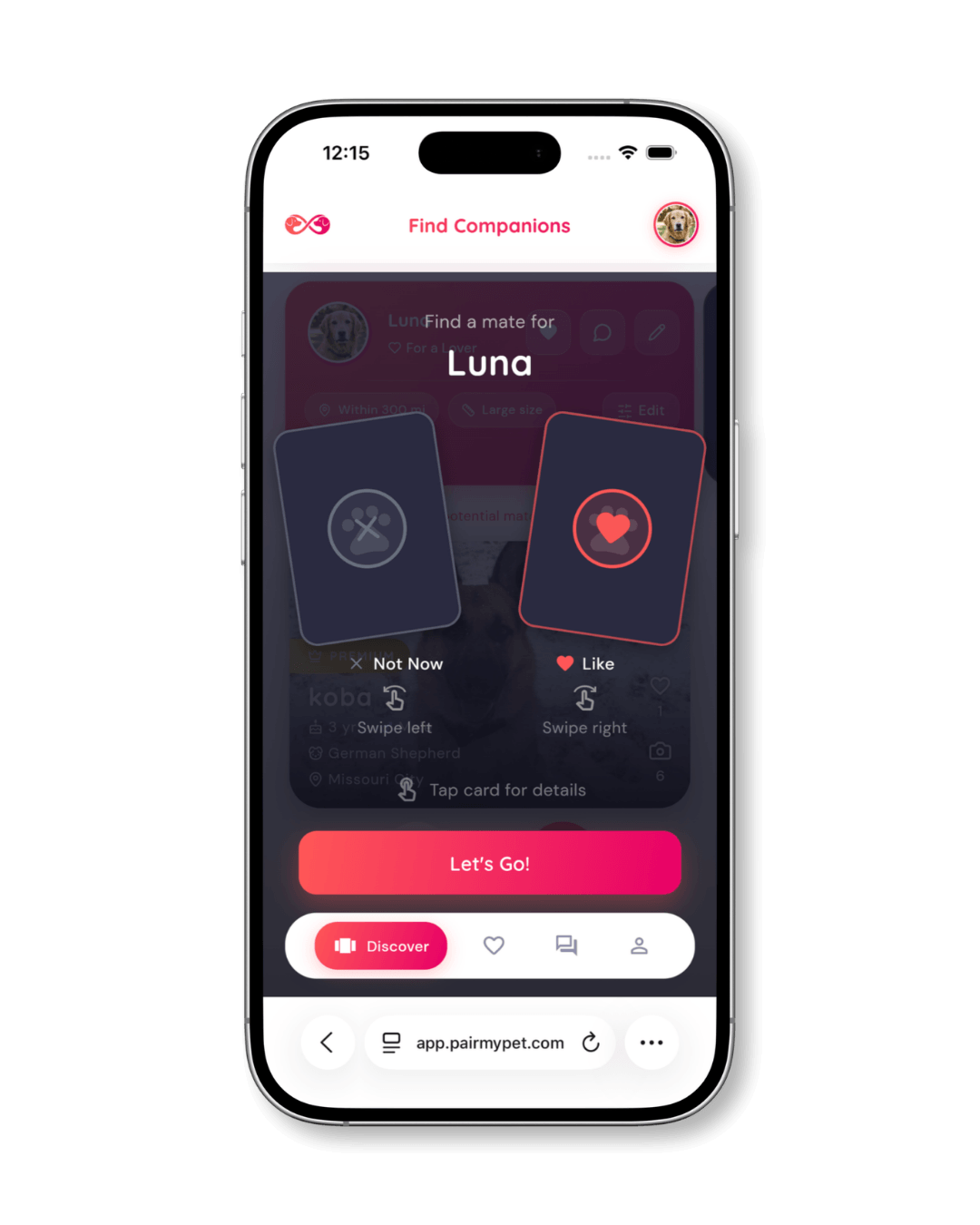
Once your profile is live, PairMyPet takes you to the Discover screen. Here’s a quick tutorial overlay that explains how matching works: swipe left to pass, swipe right to like, or tap a card to view full details.
Onboarding tutorial
The first time you open Discover, an overlay walks you through the basic gestures so you know exactly how matching works before you start.
Browse potential matches
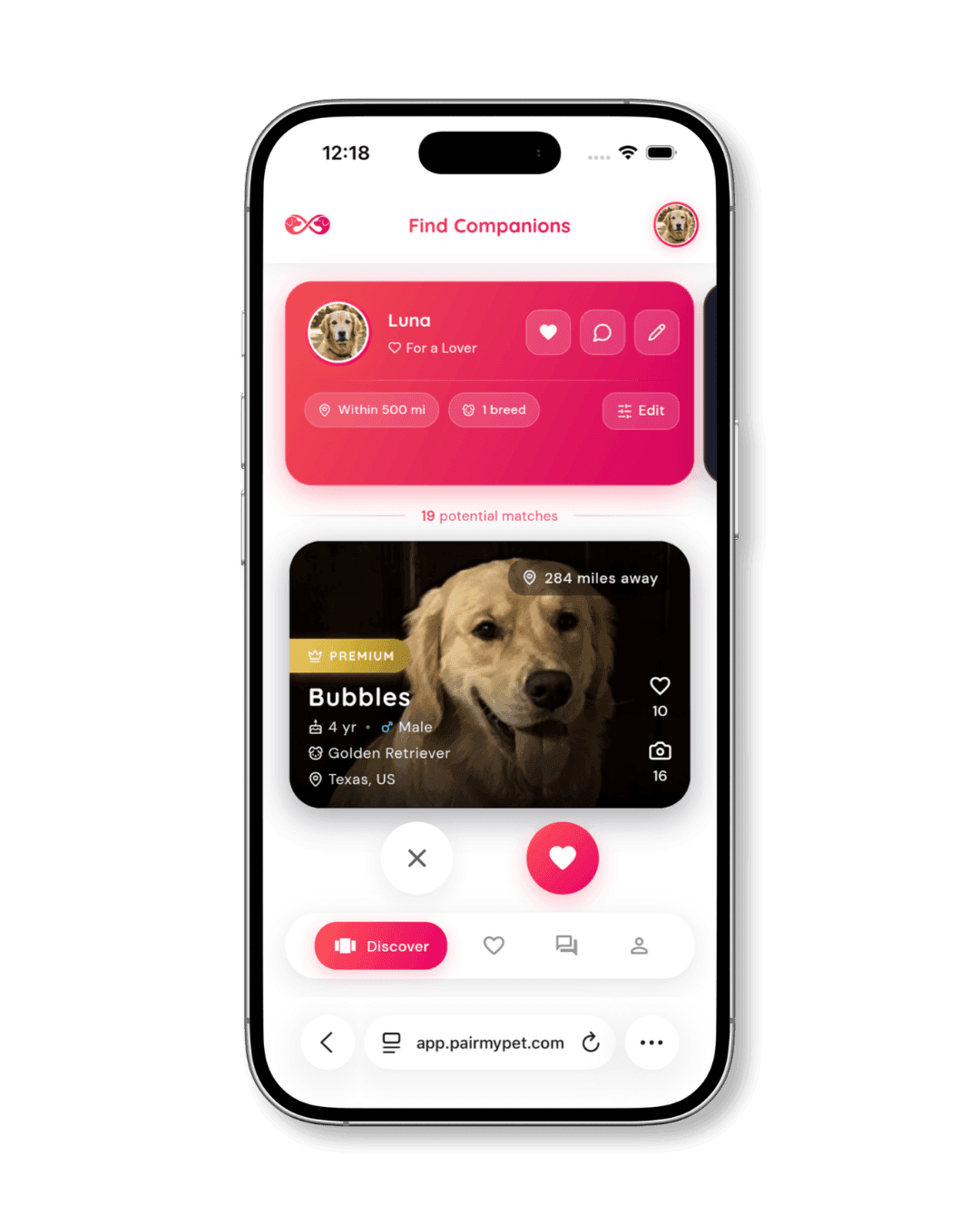
The Discover feed shows pet profiles matched to your pet’s breed, location, and preferences. Each card displays the pet’s photo, name, age, breed, and distance from you. You’ll also see a badge if the owner has a Premium membership.
Tap the heart icon to like a profile or the X to skip.
View full profile details
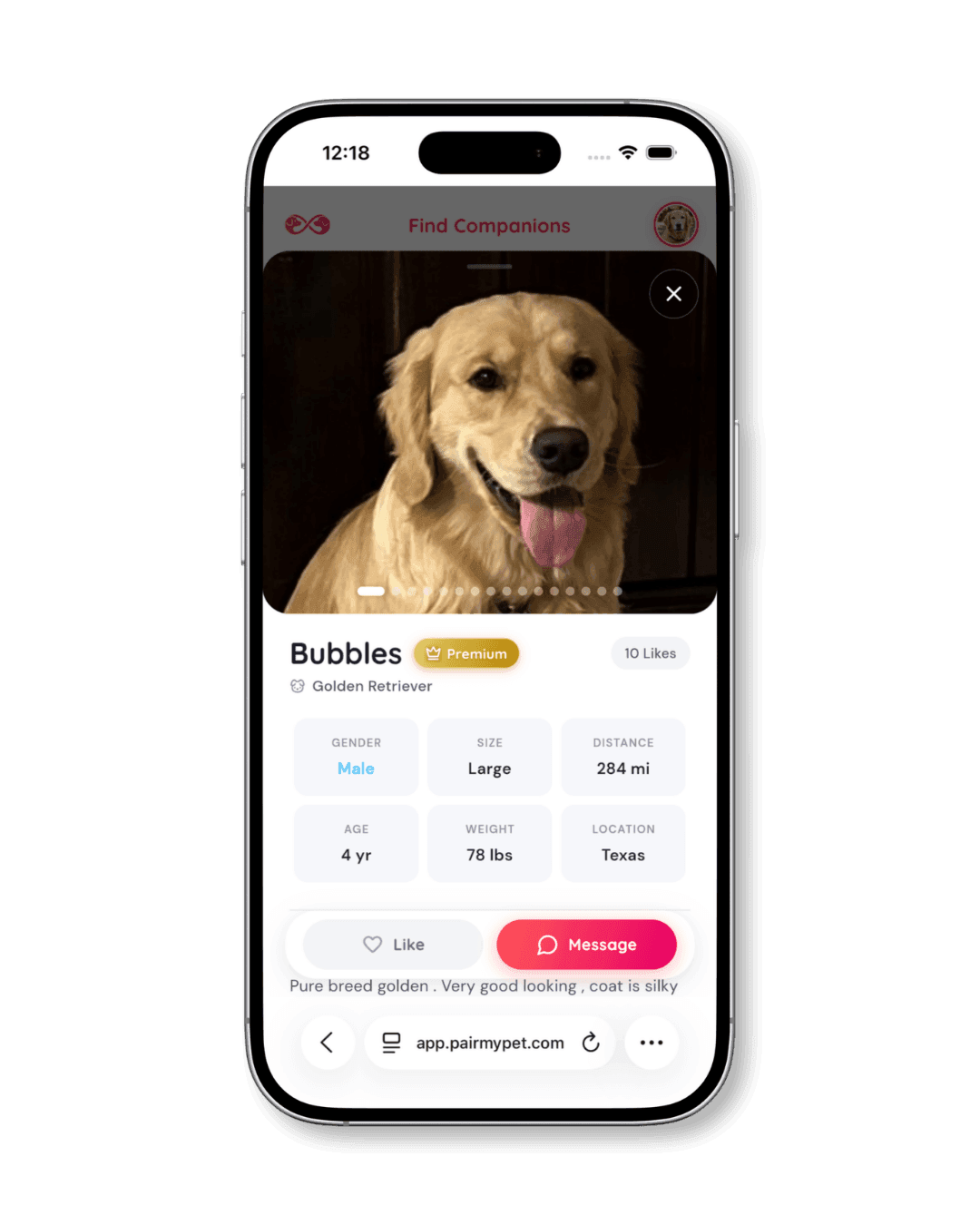
Tap any match card to open the full profile. You’ll see all of the pet’s photos, key stats (gender, size, age, weight, distance, location), and their owner’s bio description. This is where you evaluate whether the match is right for your pet.
If you’re interested, tap Message to reach out directly.
Send a message
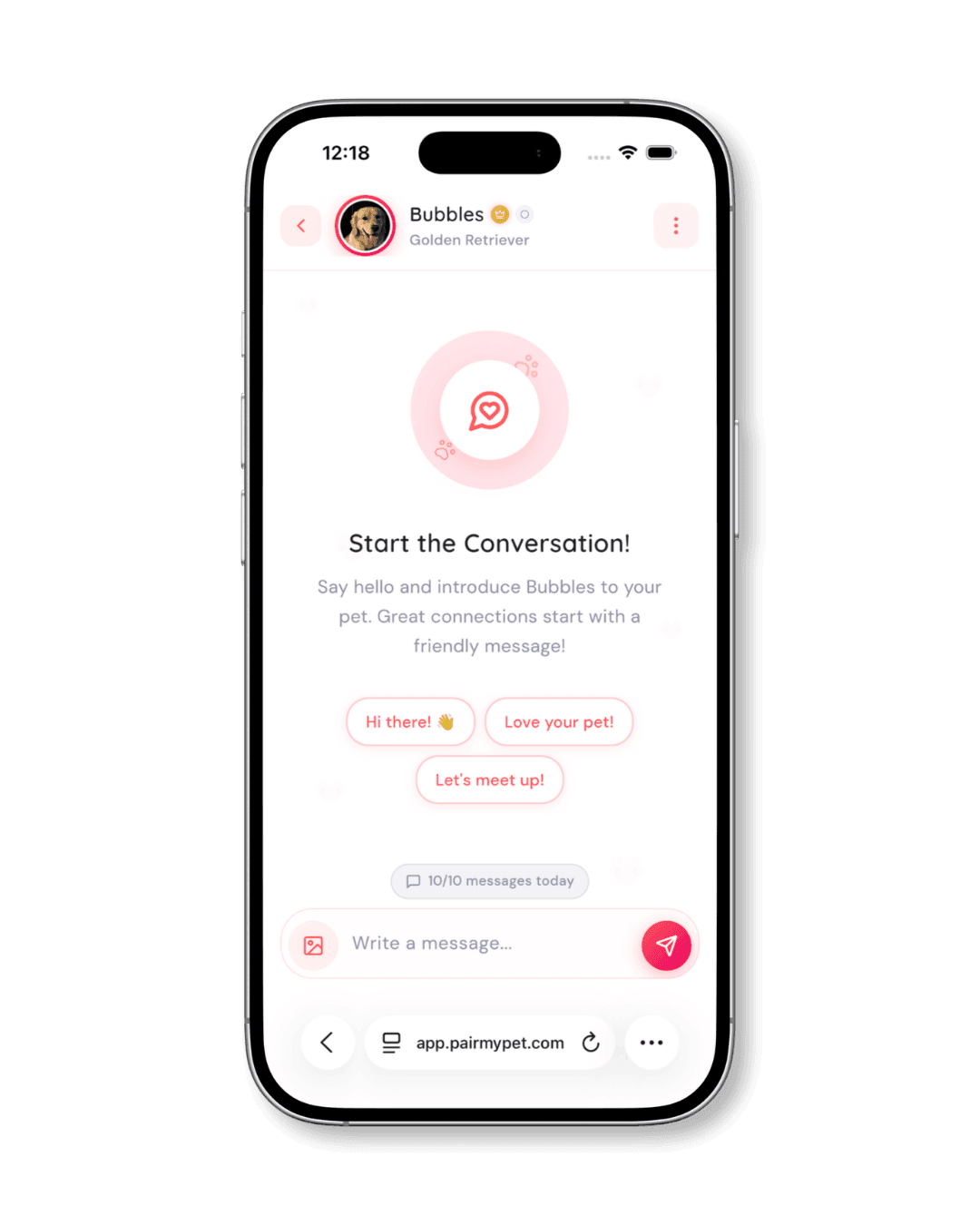
Tapping Message opens a conversation with the pet’s owner. PairMyPet provides quick-start prompts like “Hi there!”, “Love your pet!”, and “Let’s meet up!” to help break the ice. You can also write a custom message.
This is where you discuss health records, breeding terms, logistics, and anything else that matters before arranging a meet.
Refine your search with filters
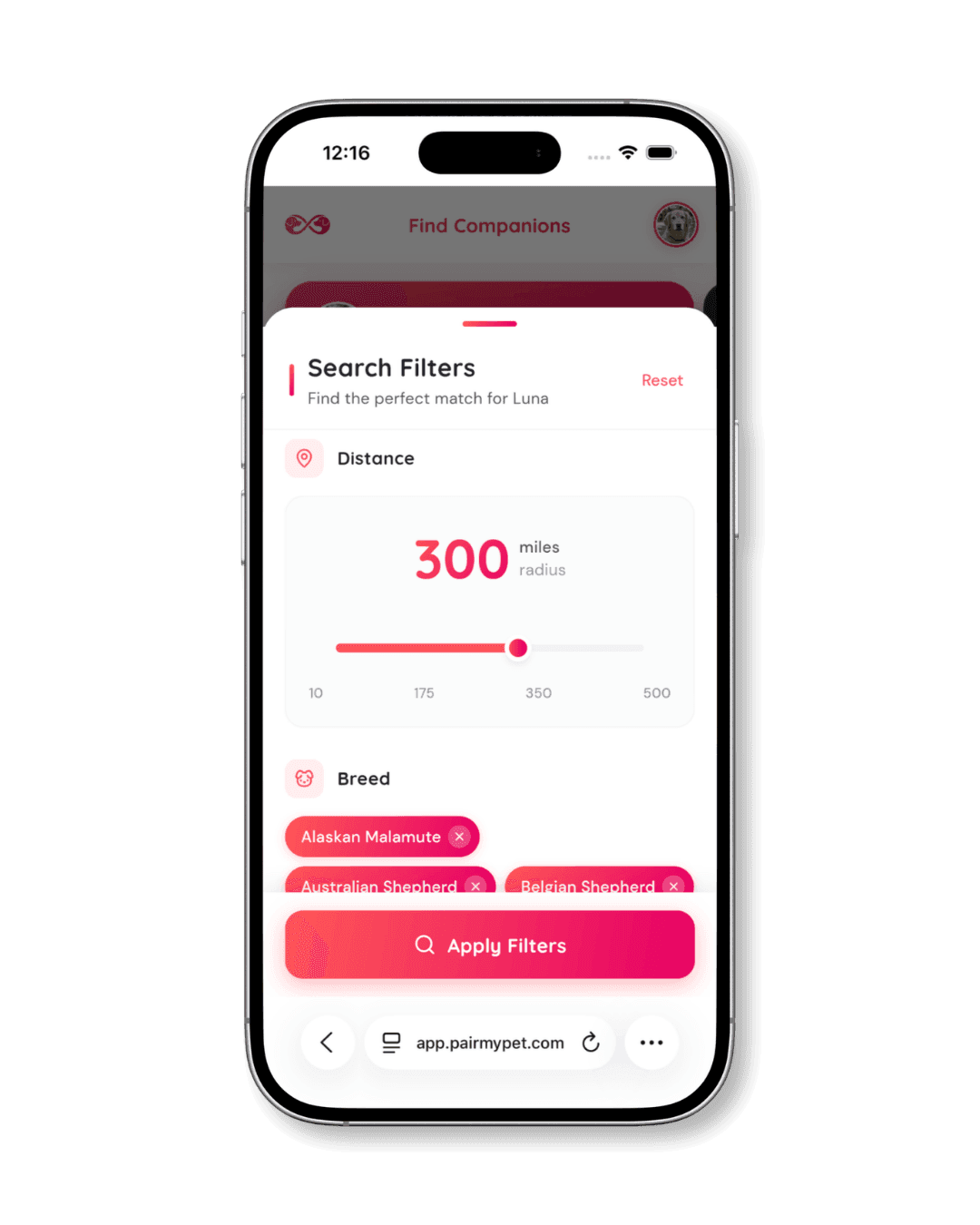
Want more control? Tap Edit on your Discover banner to open the search filters. You can adjust the distance radius (from 10 to 500 miles) and filter by specific breeds.
This is especially useful if you’re looking for a particular breed match or prefer to keep your search within a certain distance.
Tips for Getting More Matches on PairMyPet
A complete, well-crafted profile consistently outperforms incomplete ones. Here are a few things that make a real difference:
Upload multiple clear photos
Profiles with 3 or more photos get noticeably more engagement than single-photo profiles. Show your pet from different angles and in natural settings.
Fill in every field
Skipping the health certifications, temperament, or bio sections means potential matches have less to go on. The more complete your profile, the more trust you build.
Write a specific bio
Generic descriptions like “great dog” don’t tell other owners much. Mention specifics: training background, temperament around other animals, and any health testing your pet has completed.
Check the app regularly
New profiles are added daily. Logging in frequently means you’ll see new matches early and can reach out before other owners do.
Profile Optimization Scorecard
Aim for 100% to maximize your visibility.
Frequently Asked Questions
How long does it take to create a pet profile on PairMyPet?
Most users complete the full profile setup in about five minutes. The process has 10 guided steps covering pet details, personality, photos, and account creation. You can go back and edit any section after your profile is live.
Can I create profiles for both dogs and cats?
Yes. PairMyPet supports both dogs and cats. When you start the setup, you choose which pet type you’re creating a profile for. If you have multiple pets, you can create separate profiles for each one.
What should I include in my pet’s bio?
Focus on what makes your pet a good match: their temperament, health background, breeding history (if any), and personality traits. Mention vaccination status, training level, and how they interact with other animals. Specific details build more trust than vague descriptions.
How do I message another pet owner?
Browse the Discover feed, tap a profile you’re interested in, and hit the Message button. You can use one of the quick-start prompts or write your own message. Use this conversation to discuss health records, breeding terms, and logistics before arranging a meet.
Can I change my search filters after creating my profile?
Yes. Tap the Edit button on your Discover banner at any time to adjust your search distance and breed preferences. Your filters update immediately, and the Discover feed refreshes to show matches within your new criteria.
Ready to Create Your Pet’s Profile?
Join thousands of responsible pet owners finding compatible matches on PairMyPet.